Reviewing operational documents often becomes a bottleneck for EHS teams already managing growing compliance and operational demands. Whether validating SDS records, checking permit requirements, or locating critical procedures, employees can spend significant time searching through files, confirming versions, and identifying the information needed to support day-to-day decisions.
In many organizations, this process still depends on manual review and follow-up across teams. Important requirements may be buried inside lengthy documents, while operational details are interpreted differently across sites and programs.
As document volumes continue to grow, maintaining fast and reliable access to operational information becomes increasingly difficult. Review cycles slow down, compliance questions require additional administrative effort, and important details can be harder to surface when teams are balancing multiple operational priorities at once.
Why Manual Document Review Creates Operational Bottlenecks
Document-heavy workflows affect nearly every part of EHS and operational management, from inspections and investigations to chemical safety and compliance activities. As organizations grow, reviewing and validating information across sites becomes more time-intensive and harder to manage consistently.
According to the 2026 EHS Benchmarking Report, 35% of EHS leaders report experiencing fatigue, stress, or burnout themselves, while 42% say increased workloads and overtime are contributing to worker fatigue across operations.
Under those conditions, even routine document review tasks can slow response times and create additional coordination effort between teams. Locating specific requirements, validating current information, or answering operational questions may require multiple review steps before work can move forward.
Over time, these repeated tasks reduce the time available for prevention efforts, investigations, and broader operational improvement initiatives.
How AI Helps Teams Understand Documents Faster
AI can help reduce the effort required to review and interpret operational documents by analyzing content directly within existing workflows and surfacing the most relevant information automatically.
As documents and images are uploaded, AI can identify hazards, PPE requirements, compliance obligations, operational risks, procedural steps, and other important details that may otherwise require extensive review to uncover. Information is then organized into concise summaries that are easier for teams to understand and apply.
This also improves consistency across operations. Instead of relying entirely on individual interpretation, teams gain structured guidance and standardized summaries that help support clearer understanding across sites, languages, and experience levels.
By reducing the time spent reviewing documents manually, organizations can improve responsiveness, reduce administrative workload, and help teams focus more attention on execution and operational decision-making.
How the Genny AI Document Helper Works
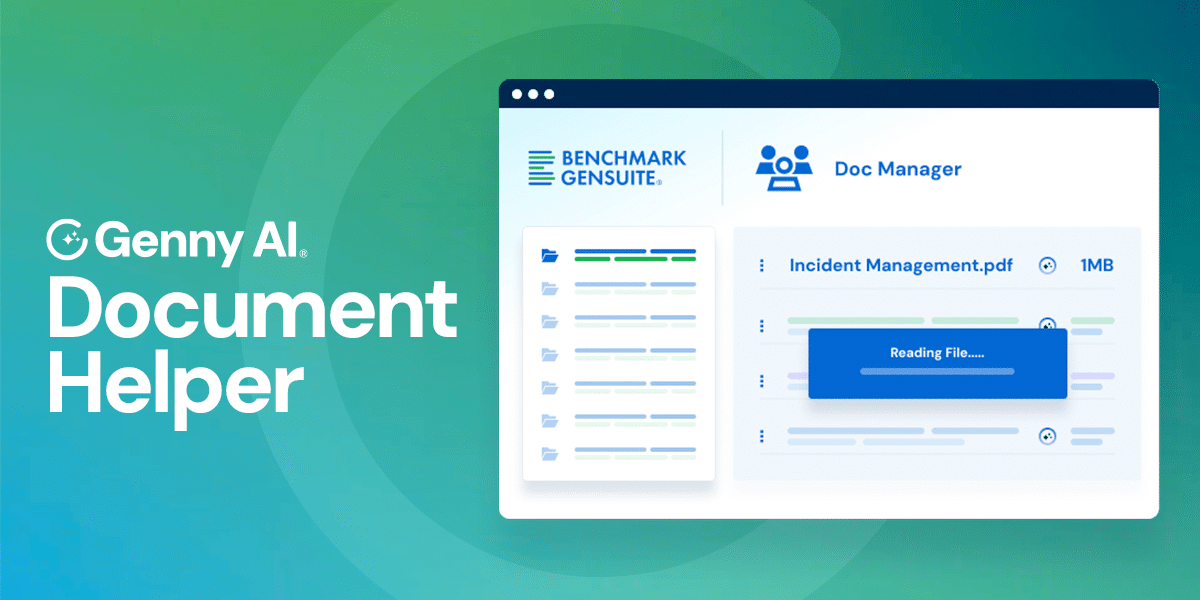
The Genny AI Document Helper is embedded directly within Benchmark Gensuite workflows and activates whenever users upload documents or images into supported applications. It follows a structured process designed to help teams access critical information faster.
Analyze uploaded documents and images
The Document Helper uses AI and OCR technology to review uploaded procedures, policies, permits, SDS records, technical documents, images, and other attached files across Benchmark Gensuite applications.
Extract critical operational information
AI identifies hazards, PPE requirements, compliance obligations, procedural steps, operational risks, and other important details contained within the document or image.
Generate concise summaries and insights
Key findings are organized into clear summaries that help users quickly understand what requires attention without manually reviewing lengthy files.
Support compliance and document validation
The Helper can assist with workflows such as SDS validation and document review by helping teams confirm the most current information before records are added into operational repositories.
Deliver insights directly within existing workflows
Summaries and recommendations appear within the same workflows where employees already manage incidents, inspections, corrective actions, compliance activities, and operational documentation.
Changing Day-to-Day Operations for EHS Leaders
Document review affects nearly every EHS workflow, from inspections and incident management to chemical safety and compliance activities. As document volumes grow, reviewing and validating information across teams can quickly become time-consuming.
The Genny AI Document Helper helps reduce that effort by surfacing critical requirements, hazards, and operational details directly within existing workflows. Instead of manually searching through lengthy files, teams can access summarized information faster and respond with greater clarity across sites.
This reflects a broader shift enabled by Benchmark Gensuite’s unified Genny AI-native platform layer. In the first three months of 2026 alone, enterprise teams gained more than 40,000 hours of productivity through AI-supported workflows and operational automation.
Built to support frontline teams and EHS professionals, the Genny AI Document Helper improves document understanding and workflow efficiency while keeping operational judgment and decision-making with the people responsible for managing risk and compliance.
See the Genny AI Document Helper in Action
Explore how AI-powered document analysis helps teams review procedures, policies, SDS records, and operational documents faster while reducing manual effort and improving access to critical operational information.