Successful EHS digital transformation does not begin with configuration alone. It begins with a clear understanding of what the organisation wants to change, who needs to be involved, how work should flow, and how people will use the system in real operating conditions.
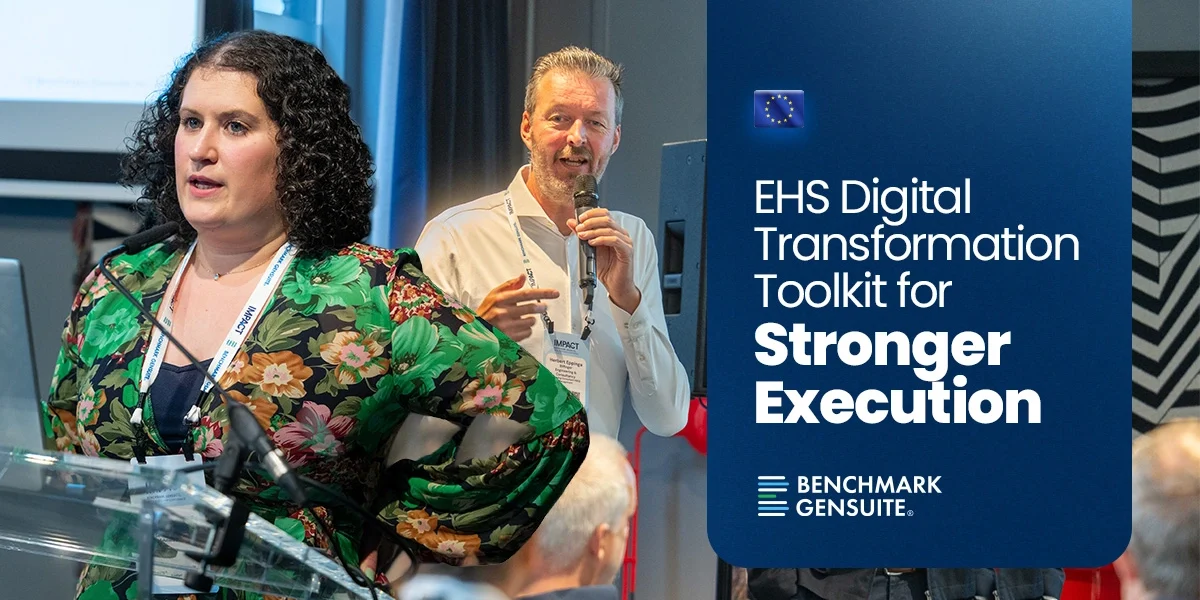
That was the focus of the Core EHS Implementation Toolkit & Best Practice Sharing session at the Europe IMPACT Conference. The session explored how EHS teams can use the Implementation and Digital Transformation Toolkit to align technology with strategy, processes, people, reporting, and AI from the beginning of an implementation.
The discussion also featured insights from Herbert Eppinga, Managing Consultant HSEQ Management at Bilfinger Engineering & Consultancy, who shared a practical perspective on digitalisation efforts and the importance of bringing key stakeholders, including IT, into the implementation conversation early.
The key message was straightforward: technology is an enabler, but it does not create transformation on its own. Real value comes when digital tools are supported by clear strategy, strong foundations, stakeholder alignment, practical communication, and user-focused adoption from the start.
Start by Designing the “Why”
Before launching a new EHS application, expanding an existing programme, introducing AI capabilities, or integrating systems, teams need to define what the implementation is meant to achieve. The objective may be to improve incident reporting, increase near miss visibility, simplify action tracking, strengthen compliance oversight, support sustainability reporting, or give leaders better access to operational data. That “why” matters because it shapes every decision that follows. It influences which stakeholders need to be involved, how workflows should be designed, what data needs to be captured, what training is required, and what reports should be available from the start.
Without that clarity, implementation can become a technical exercise. Teams may configure forms, dashboards, and workflows, but still struggle to connect the system to day-to-day work. When the purpose is clear, technology decisions become easier to align with business priorities and user needs.
The toolkit discussed during the session helps teams think through this early stage in a structured way. It encourages organisations to ask what problem they are trying to solve, what value they expect to create, and what needs to change for the implementation to be successful.
This approach can apply across different stages of the digital journey. It can support a new application launch, an expansion of existing functionality, the introduction of AI capabilities, an integration project, or a relaunch of a workflow that needs stronger adoption.
Build the Foundation Before Scaling the Workflow
Once the purpose is clear, the next step is building the foundation. This includes governance, stakeholder alignment, site structure, user roles, access needs, workflow design, communication planning, and reporting requirements.
Herbert highlighted an important implementation reality: EHS teams may initiate a digital transformation effort, but IT often plays a major role in shaping what is possible. Bringing IT into the conversation early can help teams confirm policies, access requirements, integration needs, and technical constraints before implementation moves too far forward.
That early alignment is especially important for organisations working across multiple sites, languages, business units, or contractor groups. A process that works well for one audience may need to be adapted for another. Frontline employees, supervisors, EHS managers, contractors, and executives may all need different entry points into the same platform.
A strong foundation gives the programme enough structure to stay consistent while still allowing the flexibility needed for different operating environments.
Design the User Experience Around Real Work
One of the strongest practical points from the session was that users do not all need the same experience.
A frontline worker may need to report a concern quickly. A supervisor may need to see open actions and team activity. An EHS manager may need trends, compliance indicators, and programme performance data. An executive may need a high-level dashboard showing strategic KPIs and business outcomes.
This was especially clear in the discussion around My Home section of the platform. Rather than treating the homepage as a standard landing page for every user, teams can think about it as an adoption tool. The right homepage can help users find what they need faster, complete tasks more easily, and engage with the platform in a way that matches their role.
That could include simplified homepage views, pinned dashboards, quick links, rolebased layouts, or AI-supported entry points through Genny AI. For some users, the best experience may be a simple interface that helps them report something or find information quickly. For others, it may be a more detailed dashboard with actions, reports, and performance insights.
The point is not to show every possible feature but to help each user get to the right action with less friction.
Launch for Adoption, Not Just Access
Giving users access to a system is not the same as driving adoption. EHS teams need to think about how people will learn the process, where they will access it, what language they will understand, and how the change will be reinforced over time.
This is particularly important for frontline adoption and contractor engagement. If users cannot find the right link, understand the wording, access the system from the field, or see what happens after they report something, participation can suffer.
The session discussed practical tools that can support adoption, including communication templates, posters, training materials, homepage configuration, QR codes, mobile access, shared devices, kiosks, and simplified forms. These details may seem operational, but they often determine whether a workflow becomes part of daily work.
Language also matters. Herbert raised the importance of using terminology that makes sense to the audience, especially when contractors or external users are involved. A term that feels familiar to the platform team may not be obvious to someone in the field. Clear wording, simple access points, and role-specific communication can help reduce confusion and improve engagement.
See how frontline operations software supports easier reporting and stronger workforce engagement.
Think About Contractors and External Users Early
For many EHS programmes, implementation is not limited to employees. Contractors, suppliers, and other external users may also need to report incidents, complete tasks, access forms, or participate in safety workflows.
That makes early planning essential. External users may need different access routes, different permissions, different communication, and clearer instructions than internal employees. The session discussion around contractor access highlighted the importance of deciding how external users will enter the system, what they should be able to see, and how reporting can remain simple without compromising control.
This is not only an IT question. It is also a process and adoption question. If contractors are expected to report incidents or complete safety-related activities, they need a route that is easy to understand and practical to use. They also need communication that reflects their role and avoids internal terminology that may not be familiar to them.
Planning for external users from the start helps reduce friction later. It also supports better data capture, stronger accountability, and more consistent participation across the wider operational ecosystem.
Plan Reporting and Dashboards from the Beginning
Reporting should not be treated as something to solve after launch. If teams wait until data is already being collected, they may find that the system does not fully support the visibility leaders need.
The session discussed how dashboards and reporting views can be aligned to different users and levels of the organisation. Site leaders may need operational insight into open actions or recent findings. Regional teams may need cross-site visibility. Executives may need strategic trends and high-level performance indicators.
This planning should happen early. Teams need to ask what information should be visible, who needs to see it, how dashboards should be filtered, and whether reporting needs to connect with tools such as Tableau, Power BI, HR systems, or other business platforms.
The goal is not reporting for reporting’s sake. It is to make sure the information captured through EHS workflows can support better decisions, stronger accountability, and clearer communication across the organisation.
Use AI as an Accelerator, Not a Shortcut
AI was positioned as another important layer of implementation, but not as a replacement for strong foundations. AI can support adoption, productivity, data quality, and user experience, but it works best when it is connected to clear processes and reliable information.
In practical terms, AI can help users ask questions, find information, describe a concern, interpret an uploaded image, summarise records, or improve the quality of submitted data. These capabilities can reduce friction and give users a stronger starting point.
The session also showed how AI-enabled interfaces can help make the platform easier for different users to navigate. For less frequent users, a simplified AI-supported homepage can provide a more direct route to common actions or information. For more active users, AI can support the quality and speed of work within existing workflows.
However, AI does not remove the need for governance, training, review, or human judgement. Instead, it should be considered as part of the implementation design. Teams need to ask where AI can make the workflow easier, where it can improve data quality, and where users still need to validate the output.
When AI is introduced with a clear purpose, it becomes part of the operating model rather than an add-on feature.
Prove Value and Scale with Intention
The final layer of the toolkit is proving value and scaling what works. Once a workflow is live, teams should be able to show whether it is delivering the intended outcomes.
That could mean stronger reporting participation, faster action closure, better dashboard usage, improved visibility into recurring issues, stronger contractor engagement, or more consistent data capture across sites.
These wins should be shared. Teams should not feel like they are only feeding data into a system. They need to see the value that comes from their input, whether that means catching risks earlier, resolving corrective actions, improving visibility for leaders, or making operational decisions with greater confidence.
That feedback loop helps reinforce adoption. When people understand how their participation supports safer operations and better decision-making, the system becomes more than a place to enter data. It becomes part of how the organisation learns and improves.
A Practical Toolkit for Digital Transformation
The Core EHS Implementation Toolkit & Best Practice Sharing session showed that successful digital transformation depends on more than selecting the right technology. It depends on aligning that technology with the organisation’s strategy, processes, people, data, and decision-making needs from the start.
For EHS teams, the opportunity is to approach implementation with greater intention. Define the “why”. Build the right foundation. Design around the people who will use the system. Plan communication and reporting early. Use AI where it can strengthen the workflow. Then measure and share the value created.
When those elements come together, implementation becomes more than a system launch. It becomes a structured path towards stronger EHS visibility, adoption, and operational improvement.
About Bilfinger
Bilfinger is an international industrial services provider focused on enhancing efficiency and sustainability for customers in the process industry. Its portfolio spans the full value chain, from consulting and engineering to prefabrication, installation, access and insulation, maintenance, plant expansion, turnarounds, and digital applications. Active across Europe, North America, and the Middle East, Bilfinger serves industries including energy, chemicals and petrochemicals, pharma and biopharma, and oil and gas, with more than 31,000 employees and over 140 years of industry expertise.
About Benchmark Gensuite
Benchmark Gensuite® delivers AI-forward, best-in-class digital EHS, Sustainability, Quality, and Risk solutions for global enterprises. Powered by a single-version, cloudbased platform and enriched by a rapidly expanding suite of generative AI tools, Benchmark Gensuite empowers more than 4 million users across industries to proactively manage risk, ensure compliance, and accelerate performance. With over two decades of domain expertise, award-winning customer service, and a commitment to continuous innovation, Benchmark Gensuite is the trusted partner for organisations seeking both operational excellence and strategic impact.